
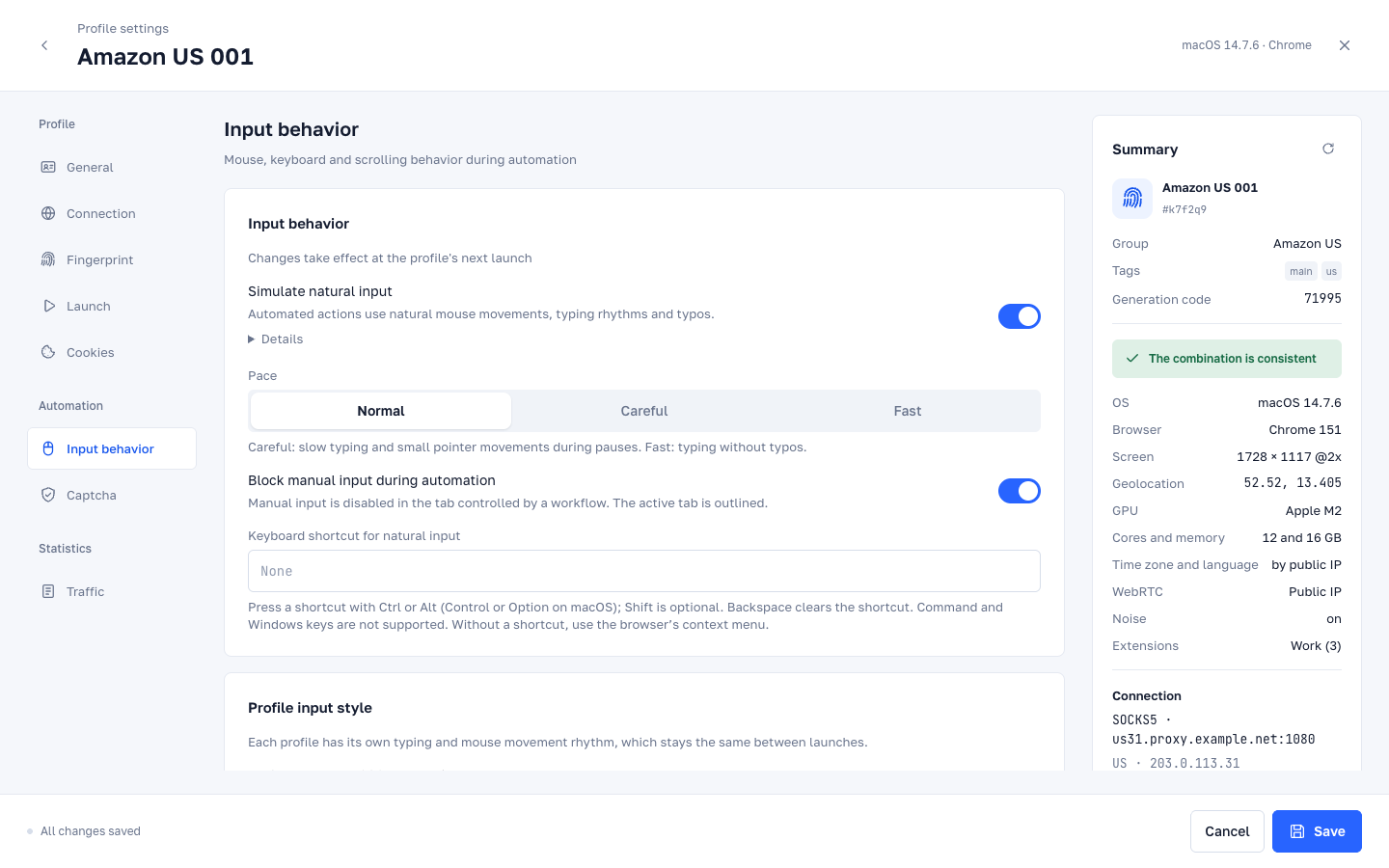
Mouse movements
The cursor follows a path with variable speed. Movement settings are saved in the profile.
Configure cursor movement, typing speed and pauses for each profile. Ombra applies these settings to automation and preserves them between launches.
Configurable cursor paths, typing intervals and scrolling. The engine applies profile settings to automated actions.
The cursor follows a path with variable speed. Movement settings are saved in the profile.
Text is entered with pauses between keystrokes. Manual work also has a Paste as human command.
Configure scroll speed and typing intervals in the profile settings.
Mouse movement, typing and scrolling simulation works in built-in RPA workflows and when controlling the browser through CDP.
Compare an instant cursor jump with movement that varies speed and includes pauses in Ombra.
Example use case. Adapt the workflow to your data and pages.
Ombra features and setup.
Behavior settings are determined by the generator seed saved in the profile. Resetting it in the manager creates a new configuration.
Yes. Input simulation is enabled by default. Speed and other parameters can be changed in the profile settings.
The standalone Ombra browser is available for macOS, Windows and Linux. You can run it without an account.