
Cookies
Cookies are stored in the profile folder. Two profiles keep separate cookies even when they open the same site through the same proxy. JSON is convenient for exchange between tools, while Netscape cookies.txt matches the files that browsers produce.
- Import accepts JSON and Netscape
cookies.txtfiles; the format is detected automatically. - Import into a running profile applies immediately, without a restart.
- Clearing is available only for a stopped profile. Stop the browser first.
- Clear cache does not delete cookies, so the profile stays signed in.
Cookies can be exported for the selected profiles with Export cookies in the bulk action bar; the command is listed in Bulk actions.
Start tabs and session restore
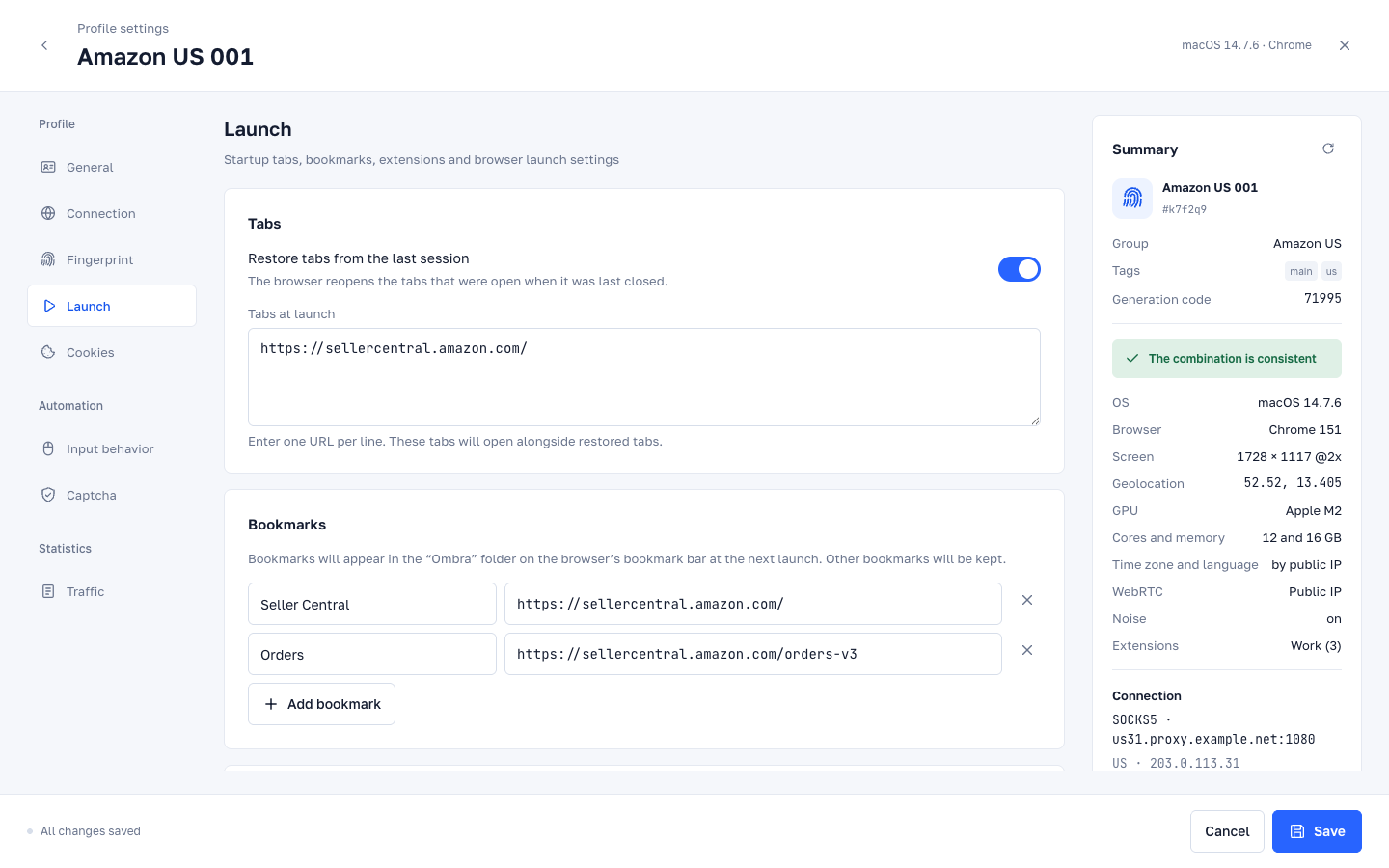
The Launch tab defines what the browser opens. Tabs at launch takes one URL per line, and the hint under the field states that these tabs open alongside restored tabs.
- Restore tabs from the last session reopens the tabs that were open when the browser was closed.
- The list of start tabs is used at the next launch; a running browser is not changed.
- Remove a line to stop opening that page at the next launch.
- The tabs open at every launch while the list is not empty.
The two settings cover the usual case: the same entry pages every time plus the tabs that were left open last time.
Bookmarks
Bookmarks are added on the same tab. Each bookmark has a title and an address.
- Up to 500 bookmarks per profile.
- A bookmark title is up to 200 characters.
- Only
http://andhttps://addresses are accepted. - Bookmarks appear in the Ombra folder on the bookmark bar at the next launch; other browser bookmarks are kept.
Choose Add bookmark, fill in the title and the address, and remove a bookmark with the cross next to its row. The Ombra folder is created at the first launch that delivers bookmarks.
Before you clear cookies
Clearing cookies signs the profile out of the sites that stored a session. Because the action is limited to a stopped profile, finish the work or export the cookies before you clear them. After clearing, every site asks for the sign-in again.
Cookies are not copied by Create a copy, so a copy starts signed out. Copy, import and export lists what a copy keeps.
The start tabs and bookmarks are edited in the same editor as the rest of the profile; see Edit and launch a profile.
 1:1