
Groups
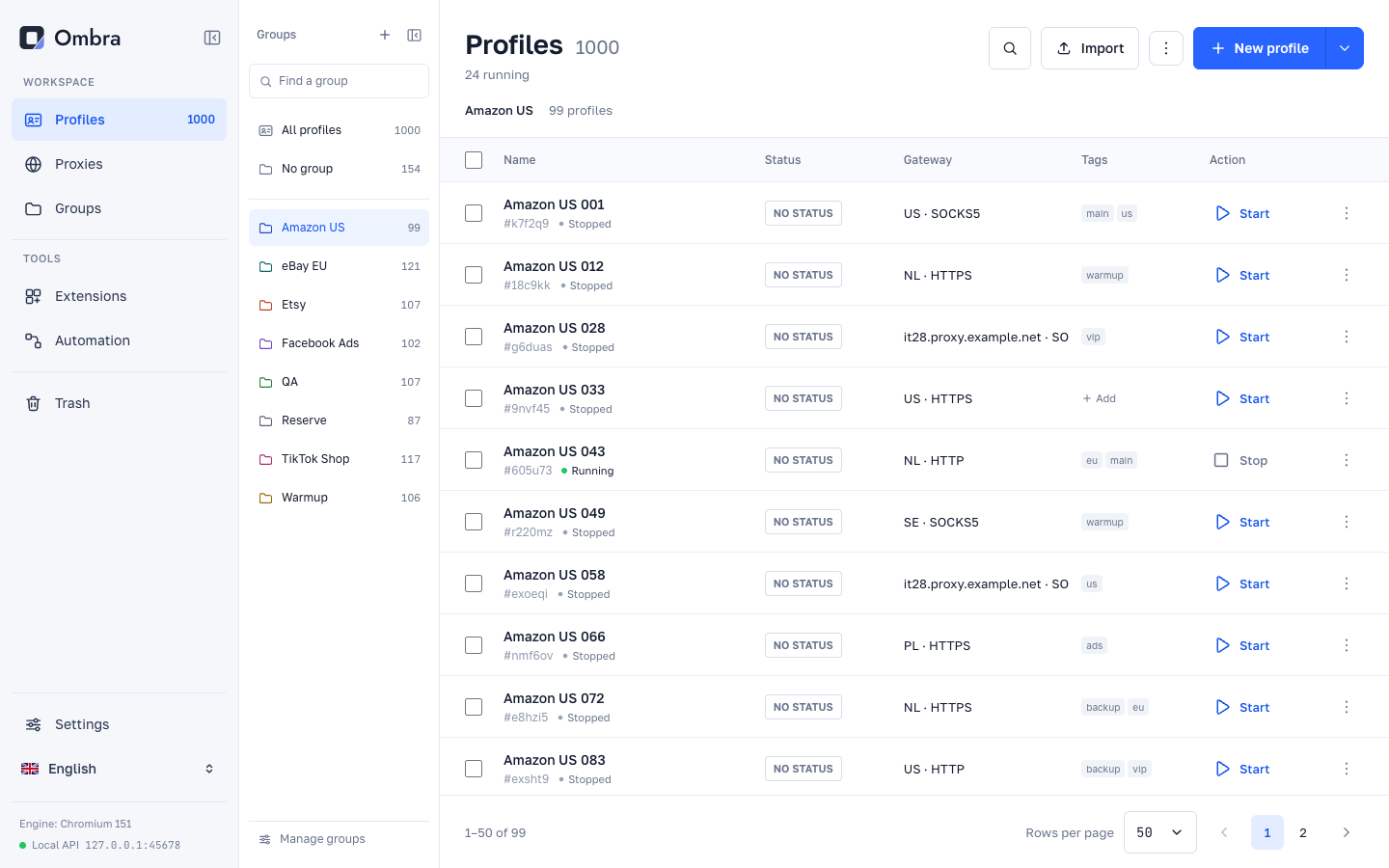
A profile belongs to exactly one group. The system group No group holds profiles that were not assigned; other groups appear in the sidebar with the number of profiles inside.
- Create a group with + in the group panel; Manage groups opens the full group list.
- Choose a group on the General tab of the editor.
- Move several profiles at once with Move to group in the bulk action bar.
Tags
Tags are labels for search and filters. A profile can carry several tags, and the same tag can be used by any number of profiles.
- A tag is up to 30 characters long.
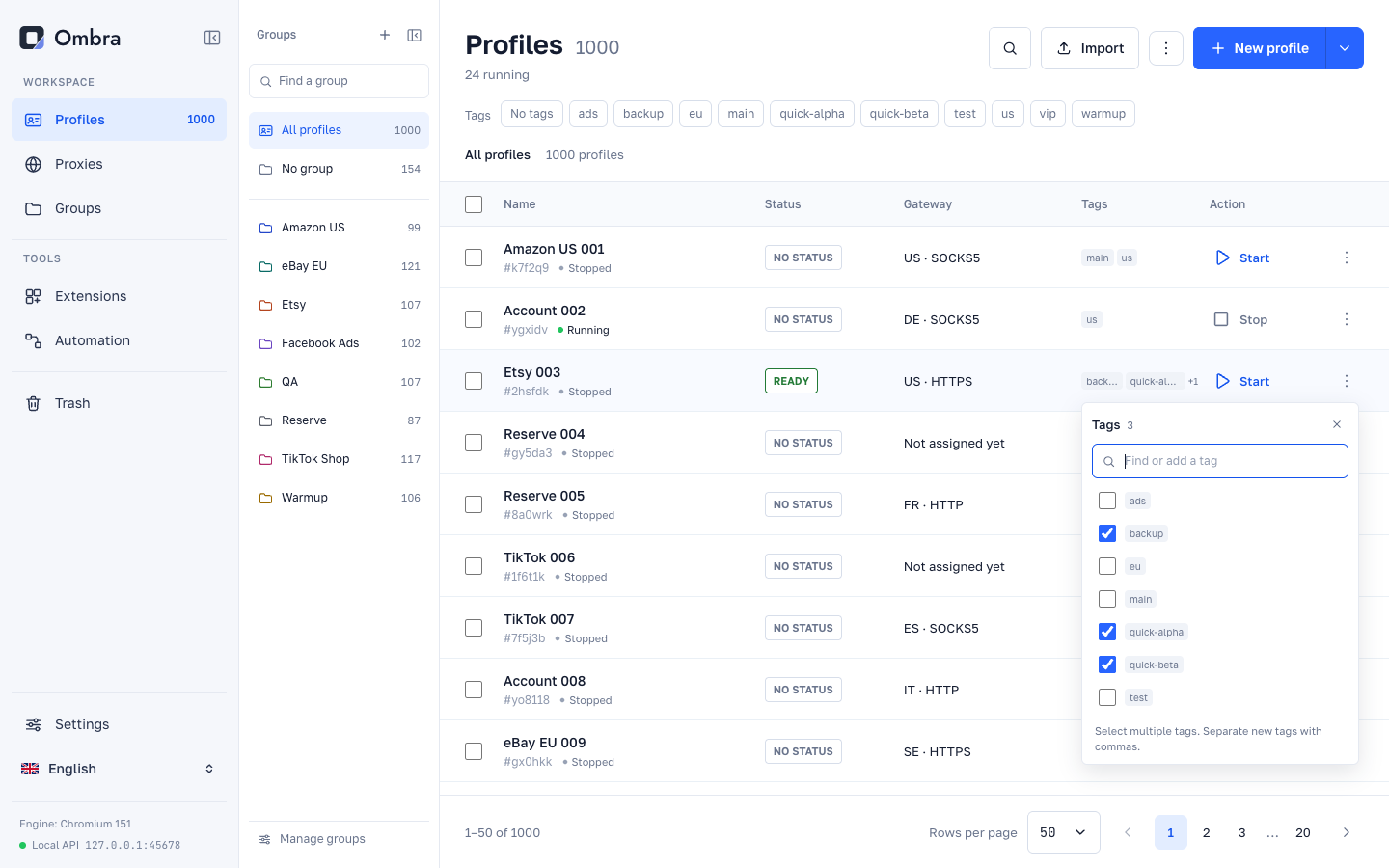
- Open the tag selector in the profile row, type to find an existing tag or add a new one, then select the tags and close the selector.
- The hint in the selector says: Select multiple tags. Separate new tags with commas.
The tag row above the list shows every tag together with No tags. Choose a tag to narrow the list; the details are in Search, filters and sorting.
Statuses
A profile has at most one user status. It is a label for your own workflow, not a report about the browser process.
- Built-in statuses
BAN,READYandNEWcannot be renamed or deleted. - A custom status is up to 32 characters long.
- A profile without a status shows No status in the Status column.
Launch states
The launch state is reported by Ombra and cannot be renamed. It shows what the browser and the manager are doing.
| State | What it means |
|---|---|
| Stopped | No browser process is running for the profile. |
| Starting | The browser is starting; the profile is not ready for work yet. |
| Waiting to start | The launch request is queued and the browser is not open yet. |
| Running | The browser window is open and the profile occupies a concurrency slot. |
| Paused | The profile is suspended by the manager. |
| Failed | The launch ended with an error; start the profile again. |
Status and launch state together
The two values answer different questions. READY says that the profile is prepared for work, while Running says that its browser is open. A running profile can carry NEW or a custom status, and a profile with BAN can be stopped. The status can be changed at any time, while the launch state changes only with the browser.
Profiles in the same group and with the same tag can be handled together: Bulk actions explains the available commands.
 1:1
 1:1