
The proxy setting belongs to the profile. Ombra does not share one proxy between two running profiles, and a profile can use only one record at a time.
The first launch
When a profile starts without a selected proxy, Ombra takes a random enabled record from the list and pins it to the profile. The next launch uses the same record without a new selection. This is the sticky behaviour described in the Proxies section: the gateway stays with the profile instead of changing on every start.
A profile that already has a saved proxy uses that record on the first launch. On the first launch, the random choice applies only when No proxy is selected.
Choose or reset a proxy
Open the profile
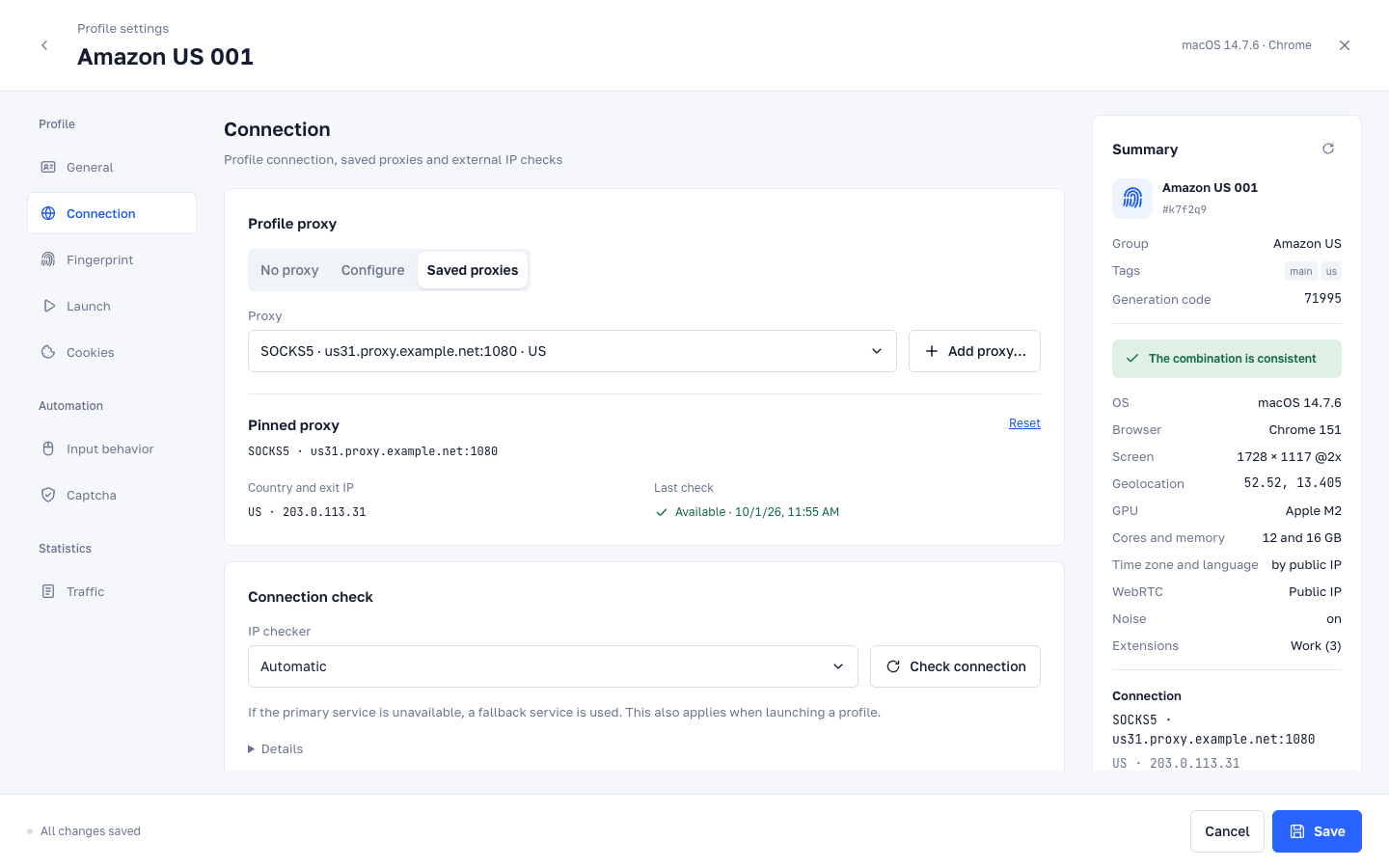
Open the profile editor and go to Connection.
Open the saved list
Under Profile proxy, select Saved proxies and choose a record.
Check the pinned value
Pinned proxy shows the record that the profile will use at the next launch.
Reset if needed
Reset clears the pinned proxy. After that, the next launch without a selected record follows the automatic rule again.
When the proxy is unavailable
If the pinned proxy is unavailable at launch, Ombra selects another enabled proxy and shows a warning. The profile may open with a different external IP than on the previous run. Check the warning and the new address before you continue work.
If the connection drops while the profile is running, the profile pauses. The pinned proxy stays on the profile, so you can restore the connection and launch the profile again.
One proxy per profile
A proxy can be held by only one running profile at a time. A proxy held by a running profile is not given to another profile. If a proxy is busy, choose another record for the second profile or stop the first one.
What the gateway does
The gateway is a local layer between the browser and the proxy. The browser connects to a local port opened by the gateway, and the gateway connects to the proxy and forwards the data. Proxy authentication happens in the gateway, outside the browser, so the browser does not receive the proxy password.
The gateway does not intercept TLS: HTTPS traffic stays encrypted between the browser and the site. DNS lookups go through the proxy. A direct route that bypasses the proxy is not allowed, so the profile does not silently fall back to your own connection.
Traffic counters and the connection log are kept for the profile; traffic and connections explains both. UDP is not proxied and is not sent outside.
Limitations
Ombra does not rotate proxies, choose a proxy by country, apply rules for individual domains, bypass the proxy for selected sites or block images. To use another address, assign another record or reset the pinned proxy. Proxy types and fields are described in proxy types and adding.
 1:1